PodcastsCienciasThe User Research Strategist: UXR | Impact | Career

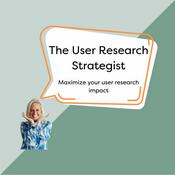
The User Research Strategist: UXR | Impact | Career

Nikki Anderson
The User Research Strategist: UXR | Impact | Career
Último episodio

98 episodios

  • The User Research Strategist: UXR | Impact | Career

    Building a user research portfolio using Claude Design

    28/05/2026 | 13 min
    This is a free preview of a paid episode. To hear more, visit www.userresearchstrategist.com

    👋 Hey, I’m Nikki. Each week I write about UX research strategy, communicating impact, and using AI to do your best work. For more: Claude Skills Bundle | AI Prompt Library | Team Training | Live Courses
    P.S. Paid subscribers get access to full archive, all content, a private Slack community, Substack lives, and a hub of templates, scripts, and mini-cour…
  • The User Research Strategist: UXR | Impact | Career

    Inside Insight: Three ways I'm using Askable to close the gap between research and action

    21/05/2026 | 13 min
    👋 Hey, I’m Nikki. Each week I write about UX research strategy, communicating impact, and using AI to do your best work. For more: Claude Skills Bundle | AI Prompt Library | Team Training | Live Courses
    P.S. Paid subscribers get access to full archive, all content, a private Slack community, Substack lives, and a hub of templates, scripts, and mini-courses
    I have been thinking a lot lately about the part of research that I find genuinely the hardest, which is not the research itself but the translation work that happens after, where we take what we learned and try to turn it into something a designer can prototype, an exec can act on, or a product team can build into their next sprint. Most of us know what good research looks like, and I think most of us could write a clear interview guide in our sleep at this point, but the harder skill is being the connective tissue between what we found and what the team does about it, and that is the part of the work I keep wanting to get sharper at.
    This video is a walkthrough of three workflows in Askable that I have been using to make that translation faster and more directly tied to the metrics stakeholders care about.
    What I cover:
    * Designer briefs that turn findings into something a designer can actually prototype. I walk through the prompt I use to generate a designer brief that includes the top three to five most impactful unmet needs, the core user problem, specific behavioural improvements I am hoping to see, and the open questions a prototype could test, all tied back to business and team metrics. What I love about this workflow is that Askable has buttons that push the brief directly into Figma Make, Lovable, or Replit with the evidence cited inline, so designers stop sitting in the in-between state of “what do I do with this?” and can start exploring concrete concepts they can test. I find that this part of the workflow has been one of the bigger bottlenecks in my own practice for years, and being able to remove it has changed how quickly research turns into something tangible.
    * Executive summaries that respect how little time execs actually have. I have lost count of the number of times I have sat down with an exec, prepared what I thought was a tight presentation, and watched them check out by slide three, so the prompt I walk through here is built around getting to the point quickly, with three insights, each one including the problem, the business impact, the supporting evidence, the next steps, and why it is prioritised, tied back to metrics the company cares about. When I do not know the specific metrics a team is tracking, I default to the pirate framework, acquisition, activation, retention, referral, and revenue, since I find that those tend to work as a reliable shared language across almost every product team I have worked with. I also walk through how to layer in industry benchmarks without fabricating numbers, which matters a lot when you are presenting to stakeholders who will go and check your sources.
    * Customised reports for different stakeholders without writing the report ten times. One report has never really served everyone, and I think most of us know that, but most of us also do not have the time to write a tailored version for each team in the company. The workflow I walk through here lets you drill a single research study into different views for different audiences, so the loyalty team gets the loyalty cut, the IA team gets the IA cut, and execs get the strategic overview, all without starting from scratch each time. This part of research has historically been a capacity problem for me and for almost every researcher I know, and being able to address that with a workflow rather than with overtime is something I have genuinely appreciated.
    * The link between prototype opportunities and real metrics is what makes research stick. One of the things I appreciate most about this workflow is that every prototype opportunity is scored on complexity and evidence strength, and tied to specific business outcomes through the pirate framework. The reason that matters is that the hardest sentence for any researcher to earn the right to say is “my research directly moved these metrics,” and when the opportunities in your report are already mapped to the metrics your team is tracking, that sentence stops being aspirational and starts being something you can say honestly in a stakeholder meeting. I think a lot about how to make research feel less disconnected from the business, and this part of the workflow has been quietly useful for me on that front.
    * AI is the glue, not the replacement. The thing I keep coming back to in my own work is that researchers are the connective tissue between evidence and decisions, and I do not believe AI is going to take that role from us. What I do think is happening is that AI is making the production work faster, the briefs, the summaries, the reports, the reformatting for different audiences, so we can spend more of our time on the translation, the storytelling, and the strategic framing that no model can really do on our behalf. Using Askable across these three workflows has reinforced that view for me rather than undermined it, and I am sharing it here because I think it is the most important thing for researchers to keep in mind when we are trying out new tools.
    Watch the full walkthrough above, and give Askable a try


    This is a public episode. If you'd like to discuss this with other subscribers or get access to bonus episodes, visit www.userresearchstrategist.com/subscribe
  • The User Research Strategist: UXR | Impact | Career

    Claude CoWork + UXR Deliverables

    20/04/2026 | 28 min
    👋 Hey, I’m Nikki. Each week I write about UX research strategy, communicating impact, and using AI to do your best work. For more: Claude Skills Bundle | AI Prompt Library | Team Training | Live Courses
    P.S. Paid subscribers get access to full archive, all content, a private Slack community, Substack lives, and a hub of templates, scripts, and mini-courses
    I hate making deliverables. So I made Claude do it and accidentally built something better than any journey map I’ve ever made.
    Research deliverables f*cking suck. I’m a words person. I do not have a design bone in my body, not even the tip of a pinky bone. I will write you a beautiful report. I will not make you a beautiful journey map and yet somehow half my job is making beautiful journey maps.
    So when clients started asking for dynamic deliverables lately, my honest reaction was that I don’t even like static deliverables, how am I going to make dynamic ones?!?!?!? I’m not even dynamic.
    Then I sat down with Claude Cowork one evening, uploaded two screenshots of a bogstandard journey map I made years ago at a now-defunct travel company, wrote an embarrassingly bad prompt (”how can we make this more dynamic”), and watched something kind of amazing happen. This video is me playing around, live, with very little plan. Things break. I yell at Claude (who, for the record, is a dude). I burn through some Lovable credits I was saving for actual work. And by the end I’ve got something I genuinely wish I’d had ten years ago.
    What I cover:
    * From two flat screenshots to an interactive, segmented, three-persona journey map in one prompt. I fed Claude the world’s most standard journey map with goals, tasks, pain points, quotes, the usual, and a prompt that I am not proud of. Claude came back with a toggleable map across three user types (occasional, first-time, power), moments of truth, a backstage layer, channel dimensions, impact-vs-effort opportunities, and pain points ranked high, medium, and low. Not perfect but already more useful than anything I’ve ever built by hand.
    * The real journey is a mess and Claude can finally show that. Every journey map I’ve ever made has been a lie. Real people don’t walk in straight lines from Awareness to Conversion. They loop, they abandon, they come back three days later on a different device. We simplify, since showing the mess is genuinely hard and takes forever. I told Claude I wanted the realistic version. It gave me a more real scenario: 12 days, 7 sessions, 5 backtrack loops. You can scrub through it on a timeline. That sentence alone is more interesting to a stakeholder than my entire old journey map.
    * Pain points linked straight to Jira tickets. Opportunities linked to prototype prompts. The whole point of a journey map is to make someone do something. So I had Claude wire each pain point and opportunity to backlog tickets (manual now, Jira-connected later) and then try to link out to Lovable and Figma Make with a prompt pre-built to prototype the fix. Some of it 404’d. All of it pointed at something I couldn’t have dreamed of making myself a year ago.
    * This is a genuinely bad prompt and I want you to see it anyway. I’m a huge fan of prompt engineering. The prompts in this video are not that. I left them in on purpose. When you’re experimenting, perfect prompts aren’t the point, throwing stuff at the wall is. You do not need a flawless prompt to get something useful. You need to start.
    * The thing we used to beg others to build, we can now build ourselves. When I was making journey maps early in my career, I printed personas and taped them in bathrooms so people would actually look at them. That was the bar. Now I can hand a stakeholder something interactive they can click through, segment, and give feedback on without a wait. It’s not “AI replaces researchers,” it’s “researchers finally have the means, the power, and the resources to make the things we’ve always wanted to make.”
    This is me experimenting live. A proper walkthrough with real prompt engineering is coming. I wanted to get this out now anyway, since it’s the most fun I’ve had with research deliverables in years, and I want you to go try it too.
    Watch the full thing above then go make something ugly and cool.
    Want Claude working like this without the “oh god what’s my prompt” moment?
    I built the UXR Claude Skills Bundle for exactly this reason, 52 research skills installed directly into Claude, so the right framework shows up the moment you need it. Journey maps, TEDW interview guides, the insight formula, the Pyramid Principle for reports, the whole toolkit with no re-explaining, no starting from a blank chat every time.
    One-time $49, lifetime access (updates included), and installs in 5 minutes.
    Get the Bundle →


    This is a public episode. If you'd like to discuss this with other subscribers or get access to bonus episodes, visit www.userresearchstrategist.com/subscribe
  • The User Research Strategist: UXR | Impact | Career

    UX Your Career, Not Your Resume | Sarah Doody

    12/03/2026 | 31 min
    Listen now on Apple, Spotify, and YouTube.

    Sarah Doody is a UX Researcher & Product Designer with 22 years of experience. She is also the founder and CEO of Career Strategy Lab, a UX job search and career coaching company where she helps UX and product people get hired or promoted with average 5-figure salary increases. She is also the host of the podcast, Career Strategy Podcast that offers weekly tips and case studies about what’s working in the UX job market and hiring right now. Sarah also speaks at conferences worldwide including UXLX, UX London, AIGA, Productized, Front, Industry, and more.
    In our conversation, we discuss:
    * How Sarah used research practices to pivot from product work into career strategy, and what nearly a decade of data has taught her about getting hired and promoted.
    * Why most job searches fall apart when people skip self-research and jump straight into resumes and portfolios.
    * A simple career “journey map” exercise that helps surface patterns across roles, managers, projects, and personal energy.
    * How a career roadmap creates focus, reduces rejection fatigue, and shapes better job decisions over time.
    * The role of a clear compass statement in shaping resumes, portfolios, interviews, and confidence during a search.
    Major takeaways from the episode
    * Sarah frames career growth using the same structure teams use to build products: research, synthesis, direction, and iteration. When people skip this step, job searches turn reactive and exhausting. A roadmap restores clarity and control by anchoring decisions to what actually works for you.
    * Resumes and portfolios break down when they’re built without context. Sarah explains how a simple highs-and-lows timeline across the past year can surface repeat signals around team fit, management style, project type, and energy. Those signals matter more than any formatting tweak.
    * Applying to hundreds of roles creates rejection loops that drain momentum and self-trust. Sarah links this pattern to panic behavior and short-term thinking. Fewer, better-aligned applications often lead to stronger interviews and better outcomes.
    * Career decisions ripple into mental health, relationships, time, and identity. Sarah urges people to layer real-life constraints and goals into their roadmap so work supports the life they want, rather than consuming it.
    * A strong compass statement acts like a thesis for your career. It guides which roles you pursue, how you frame your experience, and how you talk about your strengths. This clarity shortens resume cycles, sharpens interviews, and restores confidence under pressure.
    Where to find Sarah:
    * Website: www.careerstrategylab.com and www.sarahdoody.com
    * LinkedIn: www.linkedin.com/in/sarahdoody
    * Youtube: www.youtube.com/sarahdoody
    * Instagram: www.instagram.com/sarahdoody
    * Career Strategy Podcast
    Stop piecing it together. Start leading the work.
    The Everything UXR Bundle is for researchers who are tired of duct-taping free templates and second-guessing what good looks like.
    You get my complete set of toolkits, templates, and strategy guides. used by teams across Google, Spotify, , to run credible research, influence decisions, and actually grow in your role.
    It’s built to save you time, raise your game, and make you the person people turn to—not around.
    → Save 140+ hours a year with ready-to-use templates and frameworks
    → Boost productivity by 40% with tools that cut admin and sharpen your focus
    → Increase research adoption by 50% through clearer, faster, more strategic delivery
    Interested in sponsoring the podcast?
    Interested in sponsoring or advertising on this podcast? I’m always looking to partner with brands and businesses that align with my audience. Book a call or email me at [email protected] to learn more about sponsorship opportunities!
    The views and opinions expressed by the guests on this podcast are their own and do not necessarily reflect the views, positions, or policies of the host, the podcast, or any affiliated organizations or sponsors.


    This is a public episode. If you'd like to discuss this with other subscribers or get access to bonus episodes, visit www.userresearchstrategist.com/subscribe
  • The User Research Strategist: UXR | Impact | Career

    Inside Insight: How I used Qualtrics' Synthetic User Panel

    19/02/2026 | 1 h 7 min
    In this episode, I cover:
    * The fear and skepticism many researchers feel toward synthetic users, especially around job security and research quality.
    * How a synthetic panel works in Qualtrics, step by step, including setup, question design, and early signals.
    * The tension between stated advice and lived behavior in synthetic data, and how that tension becomes a clue for deeper human follow-up.
    * How synthetic results can help shape hypotheses, narrow scope, and surface mental models worth examining with human participants.
    * The role of experimentation, reality-checking, and ethical use when bringing synthetic insights into a human-centered research practice.
    Key Takeaways:
    * Synthetic users aren’t a replacement, they’re a low-stakes way to surface potential thinking paths worth exploring. Fear of being replaced is real for many UXRs, but synthetic panels don’t replicate lived experience. They can spark ideas, highlight tension in responses, and point toward questions worth asking humans, but they don’t carry nuance, emotion, memory, or contradiction. They’re an extra tool, not a takeover. 
    * Synthetic panels help you see mental models earlier, especially the ones users rarely say out loud. The synthetic example in the video about routines revealed goal-driven thinking mixed with self-doubt, which is a pattern worth validating with real people. This gives researchers a head start when writing interview guides or structuring probes. It doesn’t give you truth, but it does give you direction.
    * Synthetic data is great for pressure-testing your own questions before running a study. I described how running a synthetic version of a study I’d previously done with humans showed where the survey and interview questions held up and where they needed tightening. This kind of dry-run can save time, catch weak spots, and help teams narrow scope before talking to real people.
    * Researchers still need to reality-check everything with humans. Synthetic outputs are predictions shaped by large datasets, not lived stories. Human sessions reveal timing, emotion, contradictions, and subtle meaning shifts that synthetic models can’t replicate. You can use synthetic to form hypotheses, but every hypothesis needs human evidence behind it. 
    * Ethical and intentional use must lead the way. Researchers should be the ones teaching teams how to use synthetic panels responsibly. That means knowing where they fit, where they fail, and how to protect user trust. Synthetic tools aren’t going anywhere, so UXRs benefit from learning how to guide their use with clarity and care.
    The companion guide to synthetic users:
    Want to learn even more about synthetic users? Check out the companion guide to this video which goes in-depth about responsible, intentional, and ethical synthetic user usage.
    Try Qualtrics:
    Want to try this out on Qualtrics? You can request a demo below:
    Interested in sponsoring the podcast?
    Interested in sponsoring or advertising on this podcast? I’m always looking to partner with brands and businesses that align with my audience. Reach out to me at [email protected] to learn more about sponsorship opportunities!


    This is a public episode. If you'd like to discuss this with other subscribers or get access to bonus episodes, visit www.userresearchstrategist.com/subscribe
Más podcasts de Ciencias

Acerca de The User Research Strategist: UXR | Impact | Career
Interviews with amazing user researchers to uncover concrete, actionable, and tactical advice to help you maximize your user research impact and excel in your career https://userresearchacademy.substack.com/ www.userresearchstrategist.com
Sitio web del podcast

Escucha The User Research Strategist: UXR | Impact | Career, Mindfacts: Historia y futuro de la Ciencia y la Tecnología y muchos más podcasts de todo el mundo con la aplicación de radio.es
Descarga la app gratuita: radio.es

  • Añadir radios y podcasts a favoritos
  • Transmisión por Wi-Fi y Bluetooth
  • Carplay & Android Auto compatible
  • Muchas otras funciones de la app
The User Research Strategist: UXR | Impact | Career: Podcasts del grupo